
Make the mode choice obvious
The preview makes it clear whether the real difference is about preserving or removing target-only files.
Protect copies when syncing
The most important sync decision is not speed—it is whether your backup copies stay protected. Copy/update preserves target-only files while mirror aims to make the target match the source more exactly. FileLever makes that choice visible before you commit to either mode.
FileLever is available now on macOS. Windows and Linux builds of FileLever are planned. Your files stay under your control.
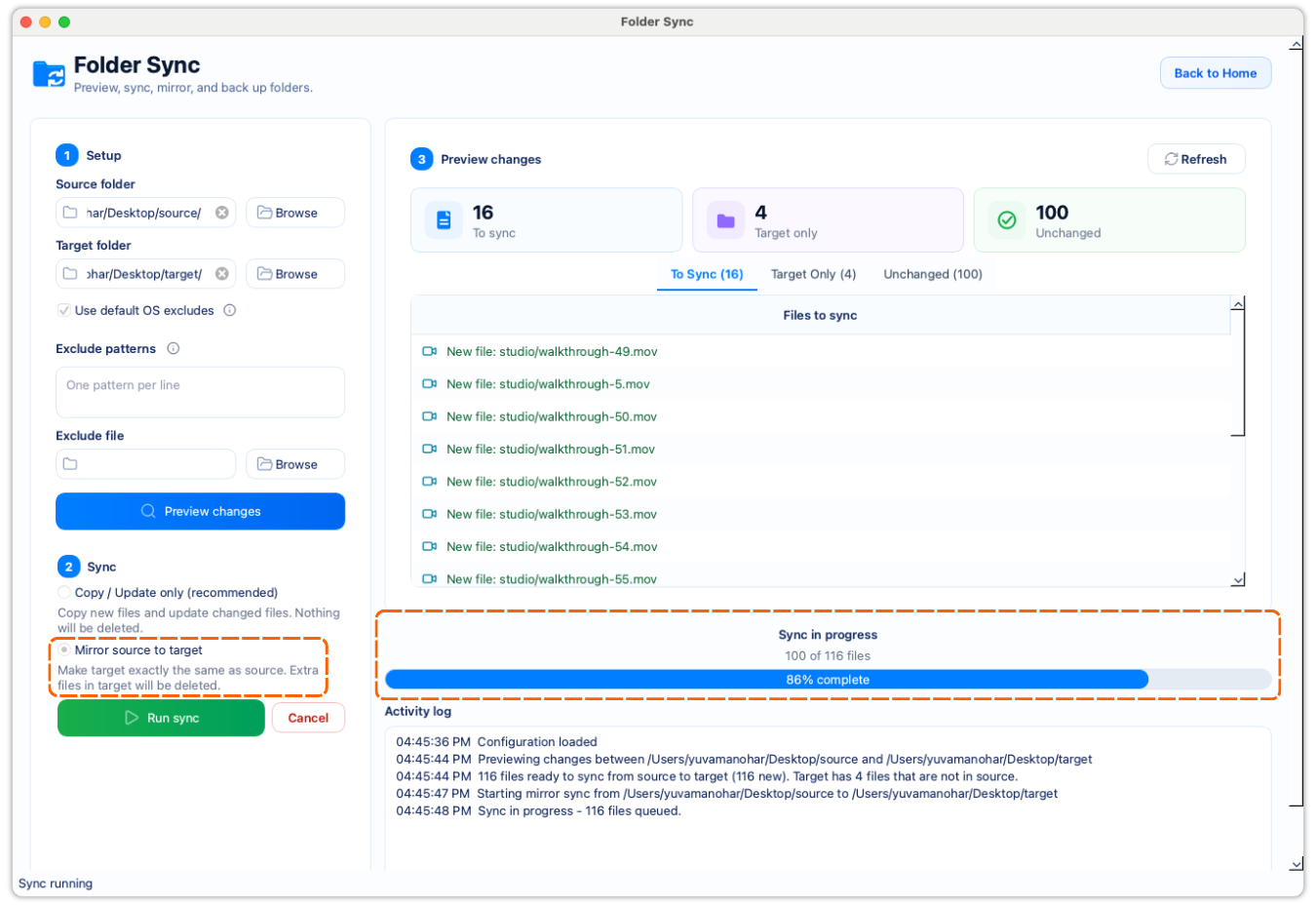
See target-only files before you choose the more destructive sync mode.
Use copy/update when archives or backups may legitimately contain extras.
Use mirror only when exact replication is the actual goal.
A deliberate workflow
Start by reviewing what is new, changed, unchanged, or present only in the target folder.
Use copy/update when you want to add missing source files and refresh changed ones while keeping target-only files in place.
Use mirror only when you intentionally want the target to match the source more exactly and have reviewed target-only files carefully.
If you still need target-only files, copy/update is usually the safer choice. If they should go, mirror may be the right fit after review.
The preview makes it clear whether the real difference is about preserving or removing target-only files.
A visible preview helps you catch the cases where the target contains files you still need.
You do not need to translate another tool's terminology before deciding how FileLever should behave.
Product walkthrough
This walkthrough shows FileLever previewing changed files, target-only files, and unchanged files before you choose copy/update or mirror.
Common questions
Copy/update preserves files that exist only in the target, while mirror is for deliberate replica workflows where target-only files may be removed after review.
Mirror can remove target-only files after a successful copy/update pass when the target is meant to match the source exactly. Review those files before confirming.
Mirror is the right choice when the target should become an intentional replica of the source and you have already reviewed the target-only files carefully.
FileLever is available now on macOS, with Windows and Linux planned.