
Do not rely on filenames
Matching names do not prove identical contents; exact verification does.
Reclaim space with proof
Once your copies are protected, duplicate photos, downloads, exports, and backups are safe to reclaim. FileLever is free to download on macOS, confirms exact matches byte for byte, keeps each duplicate group together with its paths and recovery potential, and leaves the cleanup decision with you.
FileLever is available now on macOS. Windows and Linux builds of FileLever are planned. Your files stay under your control.
Written by FileLever Team · Workflow guidance reviewed August 20, 2026
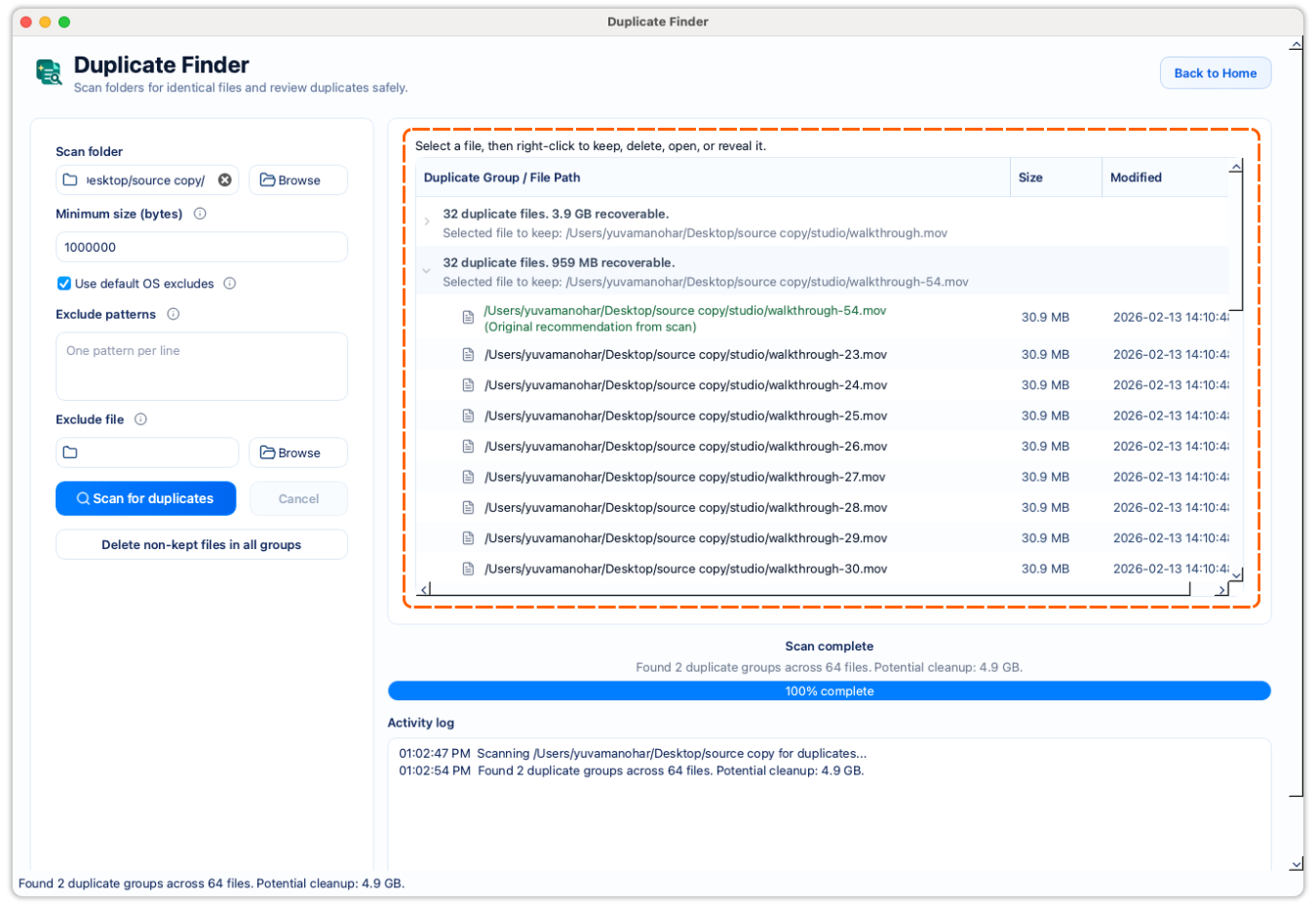
Confirm duplicates byte for byte instead of relying on filenames.
Review full paths before deciding which copy stays.
Keep deletion explicit and local to your Mac.
A deliberate workflow
Start with the photo library, archive, Downloads folder, project export folder, or external drive you want to review. Scan one meaningful area first instead of turning your whole Mac into an unexplained bulk list.
Use a minimum file size and exclusions to focus on files that belong in your cleanup review. Leave out caches, temporary folders, and application data that should not drive a keep-or-remove decision.
FileLever groups candidates by size, checks their content, and confirms matches byte for byte. Similar names, thumbnails, or near-identical versions do not become cleanup recommendations.
Keep the copy in the right photo library, project folder, or archive—not simply the newest or shortest-named version. Remove only the confirmed extras you have reviewed.
Matching names do not prove identical contents; exact verification does.
Review each matching group with file locations and potential space recovery visible.
Nothing is removed until you choose the copies to clean up and confirm the action.
Product walkthrough
This demo shows FileLever scanning for exact duplicates, grouping confirmed matches together, and letting you review which copy to keep before removing anything.
Common questions
No. It presents files as duplicates only after their contents have been confirmed as identical.
Not automatically. Identical files can serve different purposes in different folders, so review their paths before choosing which copy stays.
Download FileLever for macOS, choose the folder or drive where duplicates accumulated, confirm exact matches, then review full paths before removing extras.
Yes. Choose the mounted external drive or a folder on it, then review the confirmed duplicate groups before cleanup.
No. FileLever presents files as duplicates only when their contents are confirmed to be identical, not merely similar in name or appearance.
FileLever is available now on macOS, with Windows and Linux planned.