
FreeFileSync Alternative for Mac: Protect Copies Before Folder Sync
Protect backup extras with copy/update; Mirror can delete them. A FreeFileSync alternative for Mac folder sync and multiple archives you can trust.
Choose by workflow
Both tools support folder synchronization. FileLever is aimed at people who want to protect copies and answer the important question before a single run: should target-only files stay or go? Its preview makes copy/update versus mirror explicit, with duplicate and storage reclaim available alongside sync.
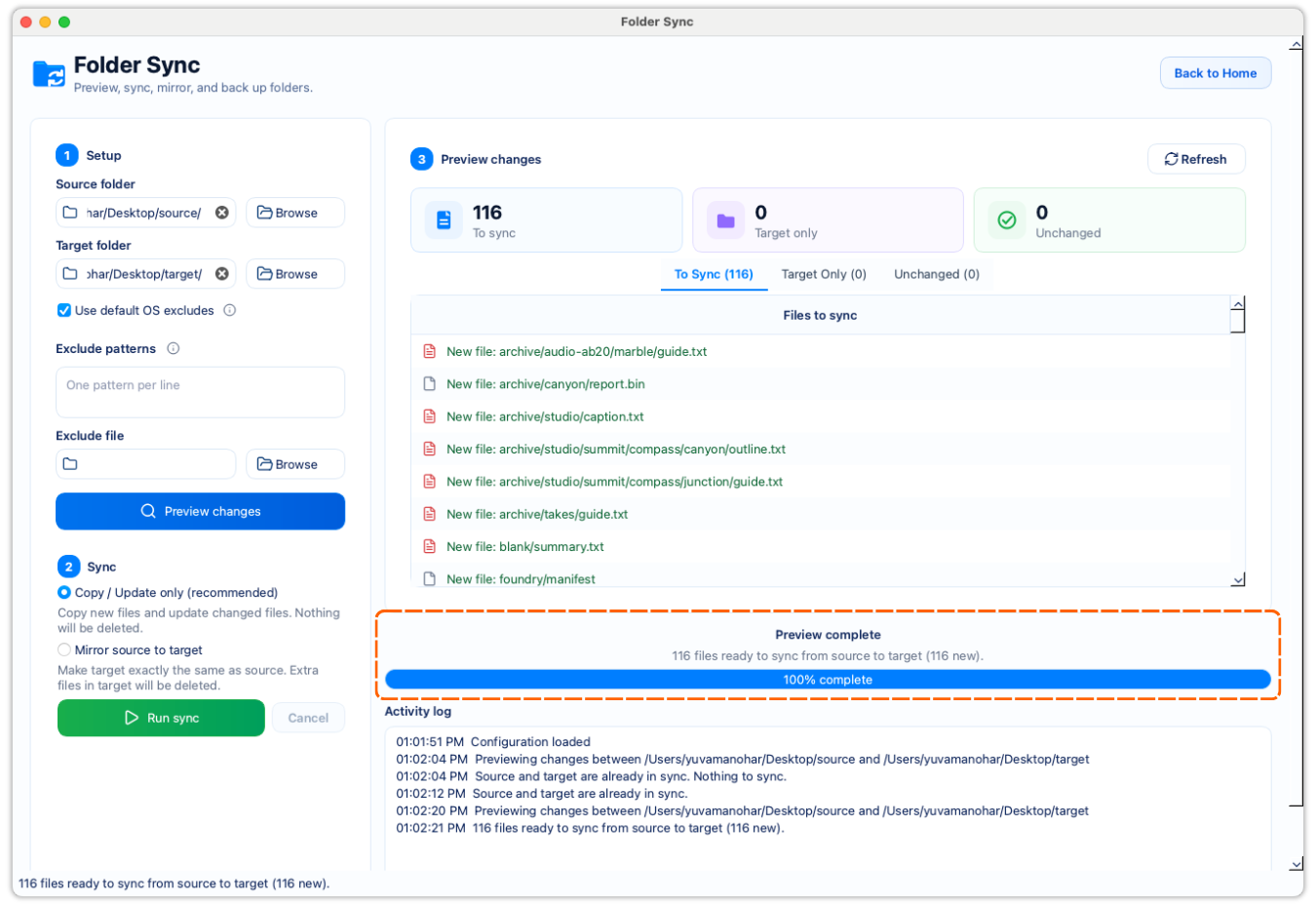
Capability comparison
How the workflows differ
| Capability | FileLever | FreeFileSync |
|---|---|---|
| Folder comparison | Shows source and target differences as To Sync, Target Only, and Unchanged before a run across local folders, including locally synced Google Drive folders. | Compares relative paths and can use file time and size or file content to categorize pairs. |
| Conservative sync | Copy/update adds and updates source files while keeping target-only files. | Update is documented for adding files to a backup without deleting files removed on the source. |
| Exact replica | Mirror is an explicit choice after reviewing target-only files. | Mirror creates and deletes target files until the target is an exact copy of the source. |
| Folder locations | Compares local folders, directly authorized Dropbox locations, and Google Drive folders synced locally with the Google Drive client. | Not evaluated in this sync-focused comparison. |
| Duplicate cleanup | Confirms exact duplicate groups before any removal decision. | Not evaluated in this sync-focused comparison. |
| Storage review | Reviews large files, folders, and categories before archive, move, or delete actions. | Not evaluated in this sync-focused comparison. |
When FileLever is the better fit
FileLever is designed around a single, understandable run: select the folders, inspect the result, then choose copy/update or mirror intentionally. It also keeps exact duplicate review and large-file cleanup as separate workflows when the folder job turns into a storage-maintenance job.
- You want to compare two folders before you commit to a sync.
- You want mirror mode to be an explicit, reviewable decision.
- You want duplicate cleanup and large-file review alongside sync instead of in a separate tool.
- You want to use a directly authorized Dropbox folder or a Google Drive folder synced locally by Google’s desktop client.
- You want to work with Google Drive content after the Google Drive client has synced it locally, without connecting FileLever directly to Drive cloud APIs.
- You are evaluating a Mac-focused workflow today.
Where FreeFileSync may still fit better
FreeFileSync may still fit better if you already depend on its existing cross-platform setup, batch-job habits, or established automation around its own sync model. If that workflow is already trusted by your team, the main question is not feature count. It is whether you need a clearer review step before local file changes.
A practical choice
Use the same source and target folders in both tools and compare the preview before you compare feature lists. The important question is whether you can tell what will happen to new, changed, and target-only files before you run it.
A simple evaluation workflow
- Compare the same two folders in both tools.
- Review how each tool presents changed files, missing files, and target-only files.
- Decide whether copy/update or mirror is easier to choose deliberately.
- If you also need duplicate cleanup or storage review, test those workflows in the same session instead of evaluating sync in isolation.
Migration notes
Match your current setup to FileLever’s copy/update or mirror mode. Always review target-only files before running a sync.
Related FileLever workflows
Explore next
Go deeper into the workflow that matters
Start with the comparison, then move into the exact FileLever workflow, guide, or download path that matches your task.
Related Blog Post
FreeFileSync for Mac: Protect Backup Extras Before You Sync
Protect backup extras with copy/update; Mirror can delete them. Test FreeFileSync vs FileLever on Mac before you sync files that exist only on the target.
Competitor source notes
Competitor descriptions above are based on the official documentation linked here.