
Make partial migrations understandable
See exactly what remains to be copied or updated instead of relying on folder names and dates.
Protect during migration
A Mac migration puts valuable data at risk when old drives, partial copies, and uncertainty pile up. FileLever helps you compare the source and destination, preview what is missing or changed, and protect the right version before you update either folder.
FileLever is available now on macOS. Windows and Linux builds of FileLever are planned. Your files stay under your control.
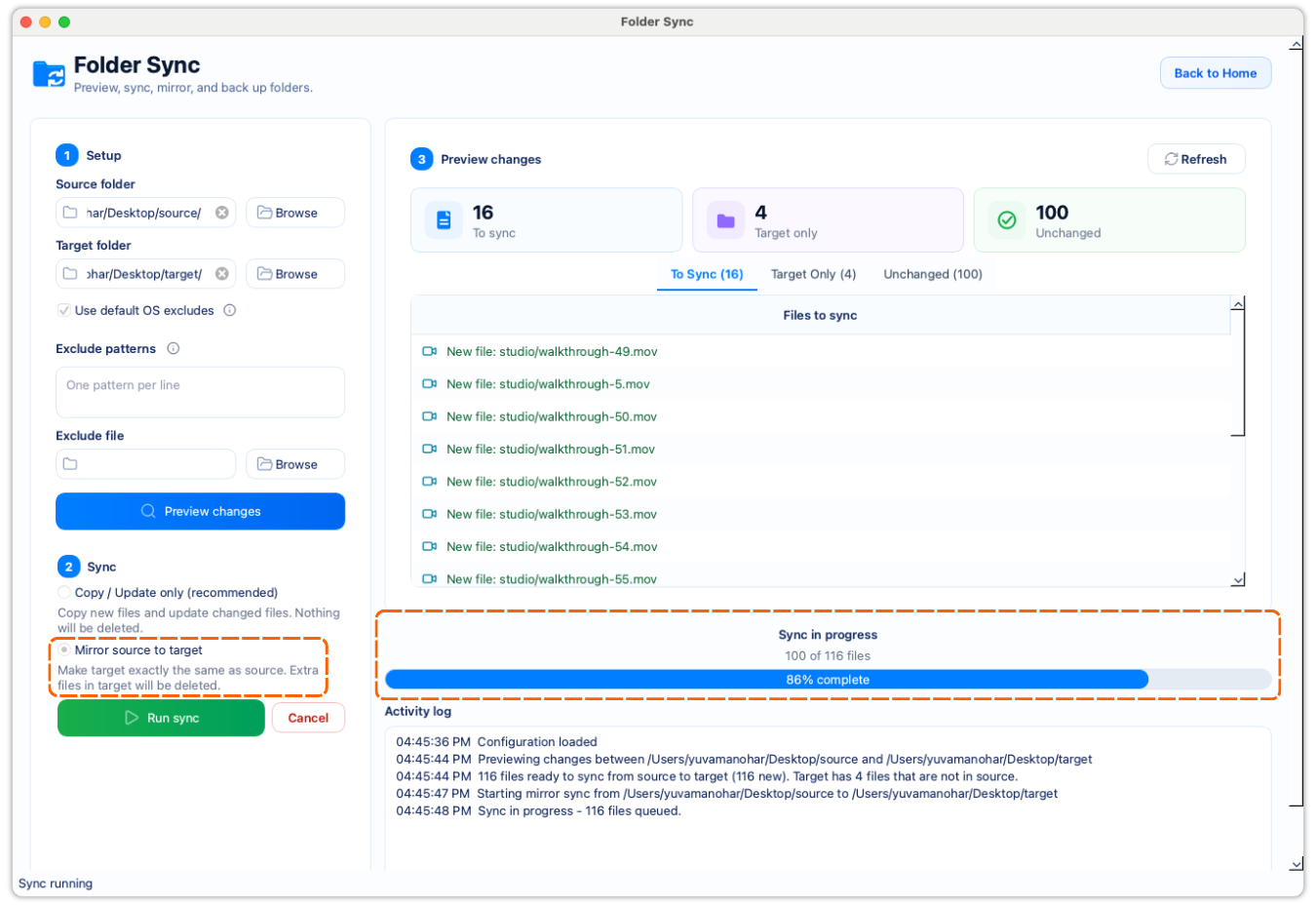
Compare old and new locations before changing either one.
Use copy/update when you want a safer migration baseline.
Keep destination-only files visible before you consider mirror mode.
A deliberate workflow
Choose the folder that should define the current version of your files.
Select the corresponding folder on the new Mac or transfer drive.
Review what is missing, changed, unchanged, or present only in the destination.
For most migrations, copy/update preserves destination-only files while bringing the selected folder up to date.
See exactly what remains to be copied or updated instead of relying on folder names and dates.
Copy/update leaves destination-only files untouched; mirror is an explicit choice for deliberate replicas.
Compare folders on your computer without uploading your files to a service.
Product walkthrough
This demo shows FileLever comparing source and destination folders, highlighting what is missing or changed, and using that preview to guide a deliberate migration to another Mac or transfer drive.
Common questions
Usually start with copy/update so files that exist only on the destination stay in place. Use mirror only if you have reviewed the target-only files and want an exact replica.
Yes. Select the source and target folders you want to compare, including folders on mounted external drives.
FileLever is available now on macOS, with Windows and Linux planned.