
Start with the biggest wins
See the files and folders consuming the most space instead of manually searching every directory.
Reclaim space with proof
Free space only when the backup is real. Old exports, render files, installers, archives, and backups can quietly take over project storage—FileLever surfaces the largest files and folders so you can decide what to keep, archive, move, or delete with full context.
FileLever is available now on macOS. Windows and Linux builds of FileLever are planned. Your files stay under your control.
Written by FileLever Team · Workflow guidance reviewed August 13, 2026
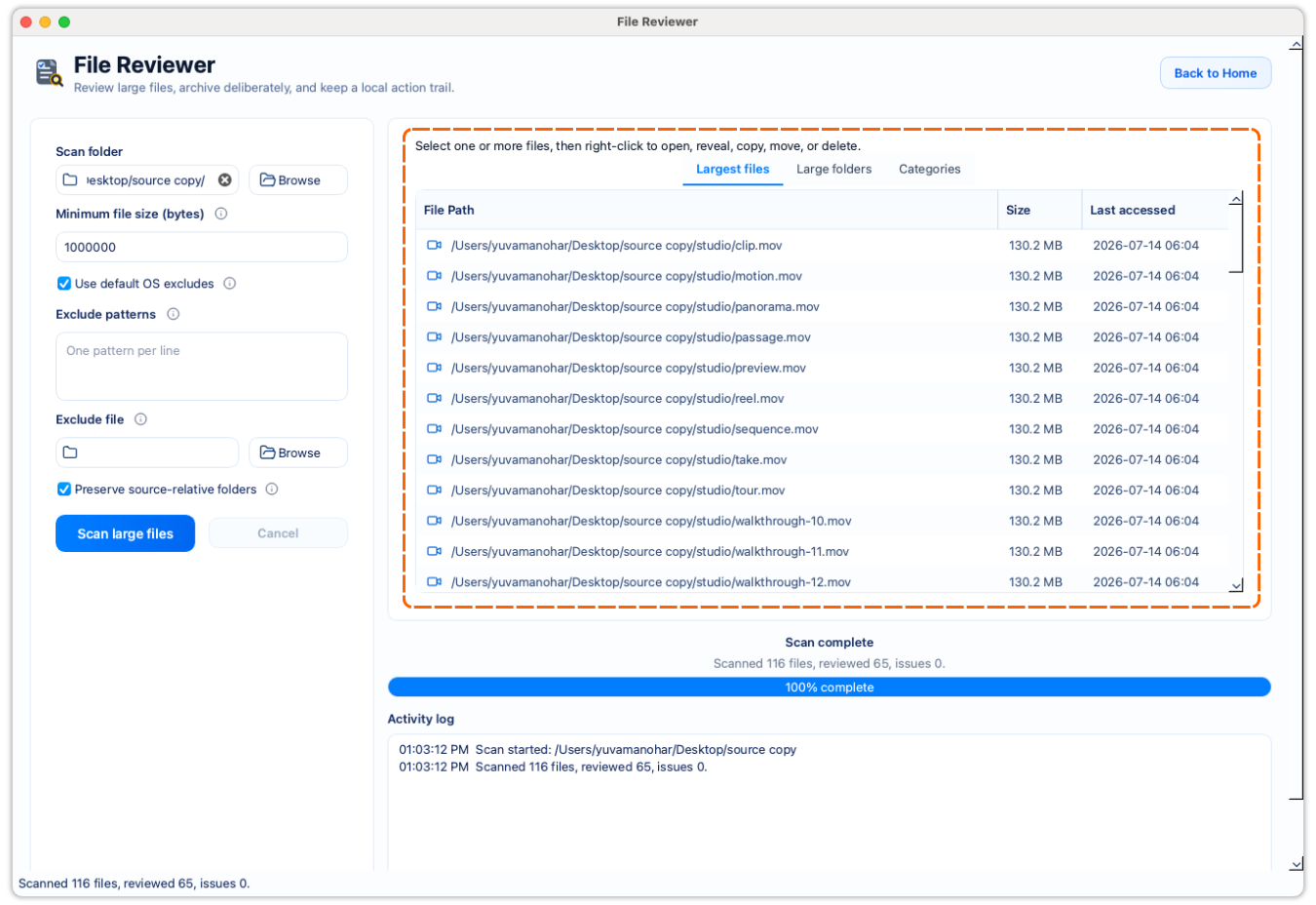
Start with the largest files instead of hunting through folders manually.
Review full paths and categories before you move or delete anything.
Keep storage cleanup local and deliberate.
A deliberate workflow
Choose the project, drive, or archive folder that needs attention.
Skip everyday files and focus the review on the files most likely to recover meaningful space.
Review the largest files, large folders, and file categories with their paths and sizes.
Open or reveal a file, archive it, move it after verification, or delete it only when you are confident.
See the files and folders consuming the most space instead of manually searching every directory.
A large file may be valuable; FileLever makes its path and size visible before you act.
Nothing moves or deletes without your explicit confirmation.
Product walkthrough
This demo shows FileLever scanning a folder, surfacing the largest files and folders, and keeping each cleanup decision visible before anything is moved or deleted.
Common questions
No. A large file might be a needed export, backup, or personal video. Review its location and purpose before choosing an action.
Yes. Choose the folder or mounted drive you want to review, then inspect the largest files and folders locally.
FileLever is available now on macOS, with Windows and Linux planned.