
Protect the useful copy
Paths remain visible so you can keep the version that belongs in the right project or archive.
Reclaim Dropbox space with proof
Repeated uploads, shared project exports, and old archives can leave Dropbox folders with costly duplicate copies. Once your Dropbox copies are protected, FileLever connects to the account you authorize, identifies exact duplicates, and keeps each keep-or-remove decision visible.
FileLever is available now on macOS. Windows and Linux builds of FileLever are planned. Your files stay under your control.
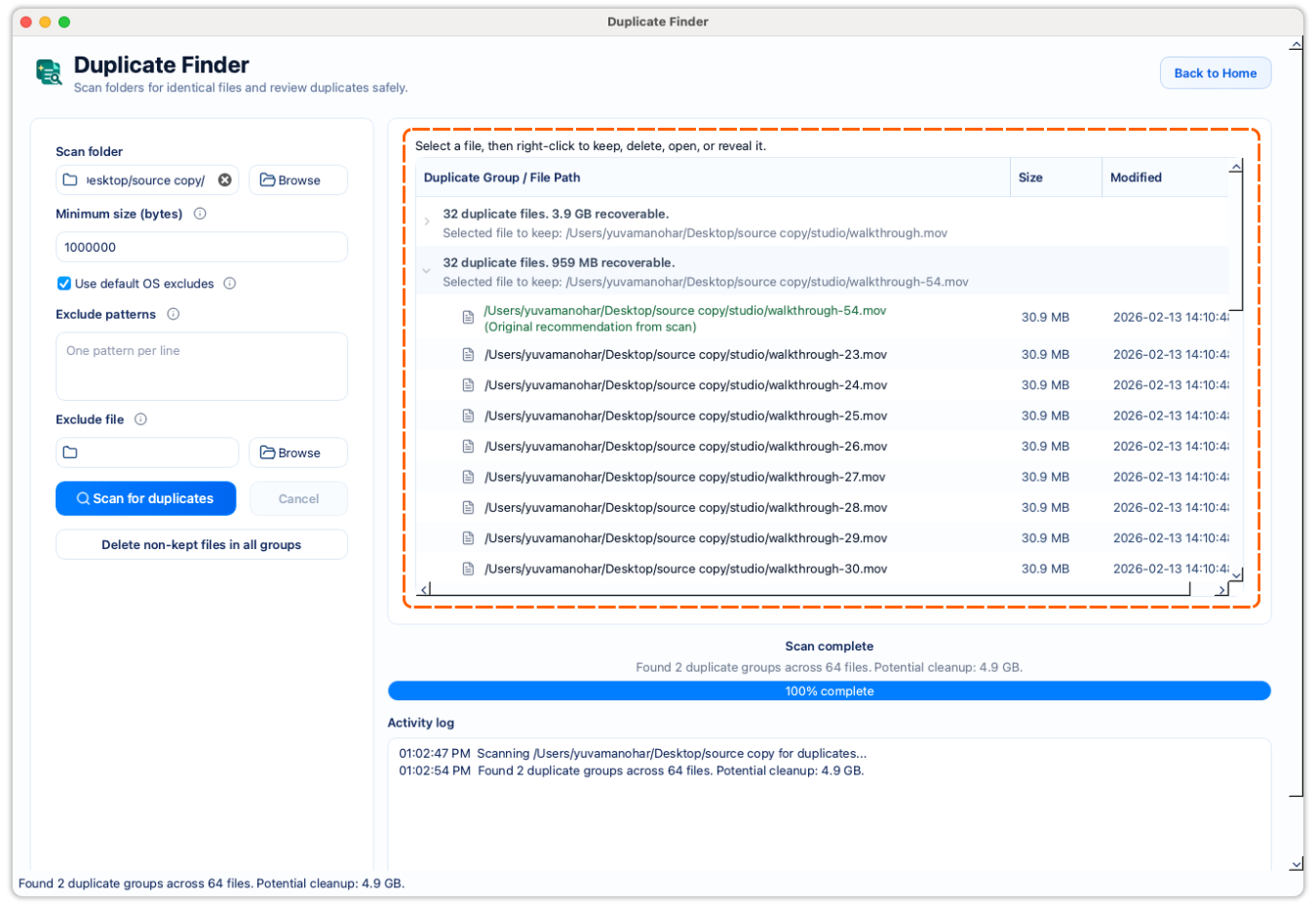
Scan Dropbox directly instead of downloading the folder first.
Exact verification is more reliable than duplicate-looking filenames.
Every remote cleanup choice stays explicit and requires write access.
A deliberate workflow
Authorize Dropbox from the picker, then select the remote folder where repeated files have accumulated.
Set a minimum size and exclusions so caches, temporary files, or irrelevant folders do not distract from the cleanup decision.
FileLever groups candidates by size and uses Dropbox content hashes where available before confirming a duplicate group.
Check the path, size, and purpose of every copy. Cleanup needs write authorization and an explicit confirmation.
Paths remain visible so you can keep the version that belongs in the right project or archive.
Review each group and its space impact before changing a remote folder.
Confirm the groups you want to clean up and check Dropbox recovery settings before a destructive action.
Product walkthrough
The walkthrough shows how FileLever groups candidates, confirms exact matches, and leaves cleanup under your control.
Common questions
Yes. Choose and authorize a Dropbox folder in FileLever; you do not need to sync it locally with the Dropbox desktop app first.
No. FileLever confirms exact duplicate content before presenting a group for review.
FileLever is available now on macOS, with Windows and Linux planned.