
Clean up repeated imports carefully
Review copied camera imports, downloads, exports, and archive duplicates without relying on folder names alone.
External-drive duplicate cleanup
External drives accumulate repeated imports, copied project folders, old exports, and duplicate backups. Once your archive copies are protected, FileLever helps you scan the drive locally, confirm exact duplicates, and review each group before reclaiming space so you do not remove the copy that belongs in the archive.
FileLever is available now on macOS. Windows and Linux builds of FileLever are planned. Your files stay under your control.
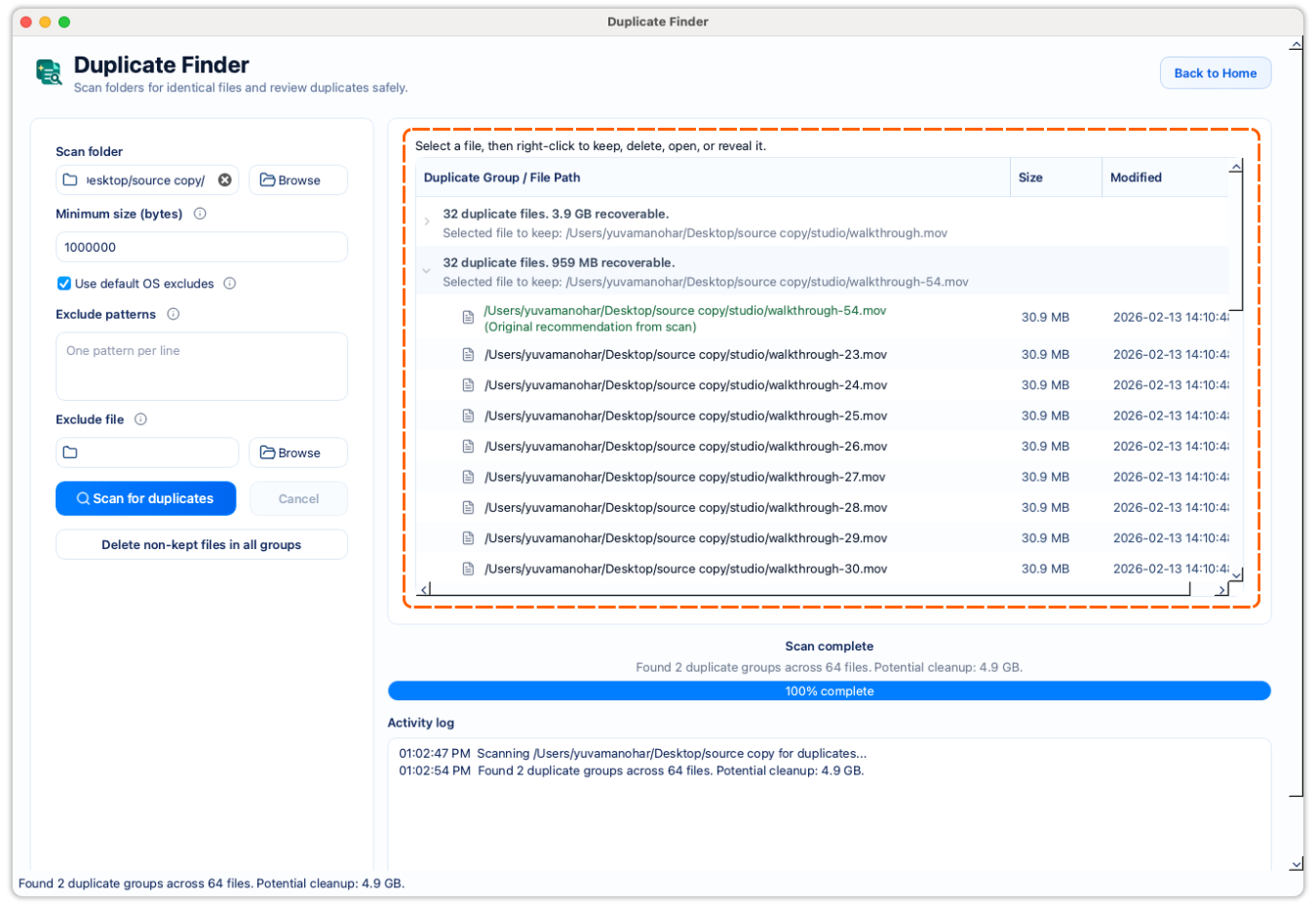
Mounted external drives can be scanned locally without cloud upload.
Exact verification matters when archives contain similarly named files.
Each duplicate group stays visible until you decide what to remove.
A deliberate workflow
Start with the drive, photo archive, backup folder, or project export folder where duplicates have built up over time. Scan a meaningful area first when a drive contains several unrelated archives.
Leave out caches, app data, or folders that should not be part of the duplicate-cleanup decision.
Let FileLever group likely matches by size and verify them byte for byte before showing them as duplicates.
Keep the copy that belongs in the right archive or working folder, then remove only the extra copies you have reviewed. An external drive often contains intentional redundancy, so exact identity is not the same as unnecessary.
Review copied camera imports, downloads, exports, and archive duplicates without relying on folder names alone.
Paths stay visible so you can keep the right version in the right place.
Delete only the duplicates you have reviewed instead of making a blind bulk decision.
Product walkthrough
This walkthrough shows FileLever scanning a folder or mounted drive, confirming exact duplicates, and keeping every deletion decision visible before cleanup.
Common questions
Yes. Choose the mounted drive or a folder on it, then review the exact duplicate groups locally on your Mac.
Not automatically. Two identical files can exist in different folders for a reason, so review the path and purpose before removing extra copies.
Yes. Start with a focused archive, project, or photo folder when that gives you a clearer cleanup decision than scanning unrelated material together.
FileLever is available now on macOS, with Windows and Linux planned.