
Clean up with evidence
A safer duplicate cleaner confirms identical content before it asks you to remove anything.
Reclaim space with proof
A duplicate cleaner is only useful when your copies are protected and you are ready to reclaim space with proof. FileLever confirms exact duplicates, keeps the full paths visible, and makes the keep-versus-remove decision explicit before anything is removed.
FileLever is available now on macOS. Windows and Linux builds of FileLever are planned. Your files stay under your control.
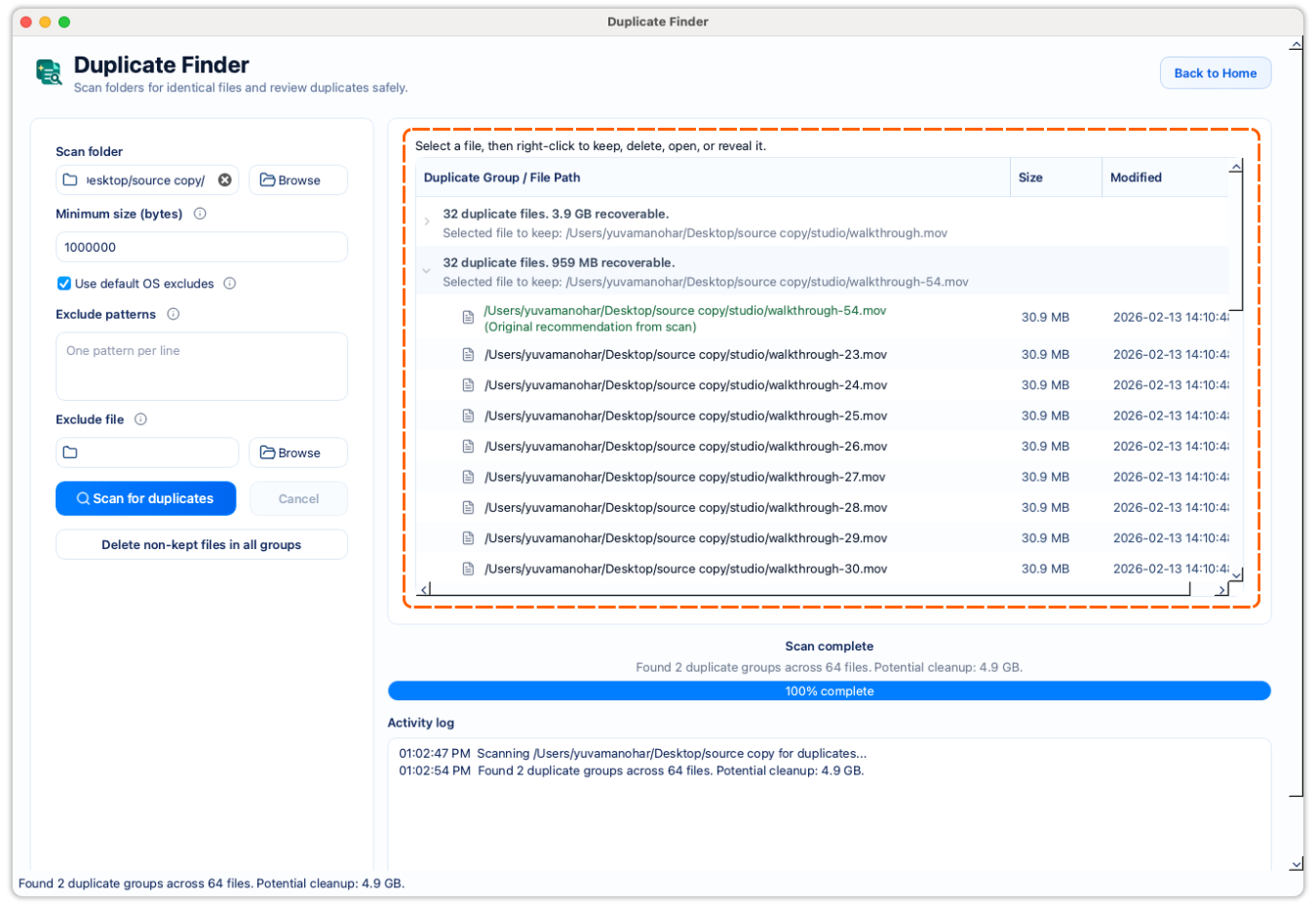
Exact duplicate confirmation is stronger than filename matching.
Full paths stay visible so the right copy is easier to keep.
Cleanup remains explicit instead of automatic.
A deliberate workflow
Start with the area where duplicate downloads, exports, photos, or backups have accumulated.
Keep the review centered on files that matter so the duplicate-cleaner pass stays practical.
FileLever groups files by size, hashes them, and confirms exact matches byte for byte before presenting them as duplicates.
Review the file paths and purpose of each copy before deciding which ones should stay.
A safer duplicate cleaner confirms identical content before it asks you to remove anything.
Identical files can still belong in different folders for different reasons, so context matters.
After duplicate review, you can keep working through folder sync or large-file review without switching tools.
Product walkthrough
This walkthrough shows FileLever confirming exact duplicates and keeping every cleanup decision reviewable before anything is removed.
Common questions
A good duplicate cleaner confirms exact matches, shows the full file paths, and leaves the keep-or-remove choice with you instead of guessing automatically.
Not by default. Exact duplicates can still serve different purposes in different folders, so the safer workflow is to review the copies before cleanup.
FileLever is available now on macOS, with Windows and Linux planned.