
 macOS
macOS  Windows
  Linux
Linux Sync Mismatch
Folders become inconsistent
Files are added, updated, renamed, or removed across backups, external drives, and working folders.

See every file change before you sync, clean up, or reclaim storage.
FileLever helps you compare folders, find exact duplicates, and review storage-heavy files across local folders, external drives, Dropbox, and locally synced Google Drive folders. Preview the result first, decide what stays or changes, and then sync, delete, move, or archive with more confidence.
Works with
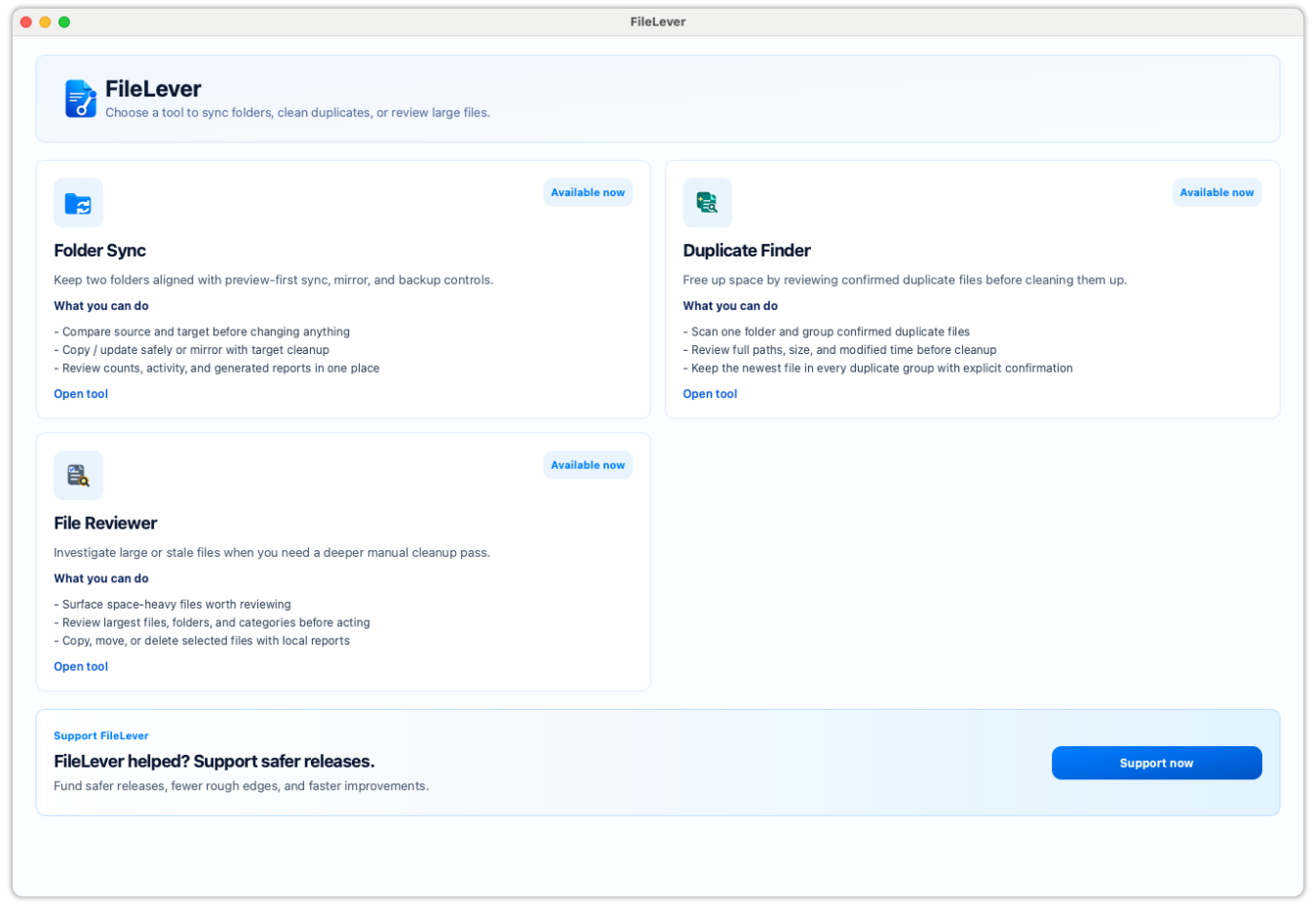
Synced folders slowly fall out of sync. Duplicate copies consume storage. Large files become difficult to find, and deleting files in bulk can feel unsafe when you cannot clearly review what will happen. FileLever helps you inspect the problem first, select the right files, and take action only when you are ready.
Files are added, updated, renamed, or removed across backups, external drives, and working folders.
Duplicate photos, documents, downloads, and backups can be difficult to review across locations.
Old videos, archives, installers, and forgotten project files can consume significant space while remaining buried across folders.
Bulk deletion feels risky without a clear view of what stays and what gets removed.
Connect the Dropbox account you authorize, preview a remote folder alongside your local work, and choose copy/update or mirror deliberately.
Explore workflow
Keep photo, video, project, or collection archives current across an external drive and Dropbox without manually comparing every file.
Explore workflow
Find repeated photos, downloads, documents, and backups while keeping control over which copy remains.
Explore workflow
Find the largest files first so you can quickly identify old videos, archives, installers, and other storage-heavy files.
Explore workflow
Move files you no longer need immediately to an external drive or archive folder without permanently removing them.
Explore workflow
Move from folder selection to review and action with one clear workflow for comparing folders, cleaning up duplicates, and reclaiming storage across local folders, external drives, direct Dropbox locations, and locally synced Google Drive folders.
Select local folders, a direct Dropbox location, or folders synced locally by another desktop client.
See folder differences, duplicate groups, or files sorted by size from one clear interface.
Choose files individually, select multiple results, or use safe bulk-selection controls.
Sync folders, remove duplicate copies, delete unnecessary files, or move large files to an archive after explicit confirmation.
Keep folders and backups up to date.
Compare a source and target folder, review new or changed files, and then run a copy/update sync. Use mirror mode only when you intentionally want target-only files removed.
Find duplicate files and recover wasted storage.
Scan folders for exact duplicate files, review matching groups, choose the copy you want to keep, and delete the others selectively or in bulk.
Find what is consuming your disk space.
View files sorted by size, inspect large or forgotten files, and then delete them or move them to another folder for archival.
Stay in control before files change.
Review full paths, file sizes, proposed actions, and selected files before running a sync or cleanup operation.
Use these high-intent guides and comparison pages to jump directly into backup, sync, duplicate cleanup, and storage-review workflows.
Task-led guides for the jobs people usually search before they download a tool.
Practical posts for sync, backup, cleanup, and comparison workflows.
Feature pages and docs that explain what FileLever does before you commit to a workflow.
File operations can be difficult to reverse. FileLever keeps results visible and actions deliberate so you remain in control of every folder sync, duplicate cleanup, and storage review.
FileLever works directly with folders on your computer, including connected drives and Google Drive folders synced locally by the Google Drive client. For Dropbox workflows, FileLever connects directly to the Dropbox account you authorize; it does not route your files through FileLever servers.
Download FileLever to safely sync local and Dropbox folders, remove duplicate files, review large files, and reclaim storage from one private desktop app.
Support continued development of safer cleanup workflows, clearer local Google Drive folder guidance, faster scanning, improved packaging, documentation, and new tools for managing files carefully.
Safer releases
Signing, notarization, and cleaner packaging across macOS, Windows, and Linux
Smooth setup
Better docs, smoother installs, faster fixes, and less friction after download
Fast progress
More time for duplicate review, smarter search, and the next useful workflows